Good virtual tour etiquette comes down to three habits: be prepared, be respectful, and check the technology and privacy details before anyone goes live. The NAR guidance on virtual open houses and Zillow’s 3D Home capture advice both point the same way. Listings with interactive elements get twice as many views, so doing it well pays off.
TL;DR:
- Buyers should direct operators to open cabinets, run faucets, inspect HVAC and electrical systems, and repeat unclear sections for a fuller view.
- Sellers should remove documents and family photos, disclose active cameras, microphones, and smart speakers, and avoid staying home during the showing.
- Agents should test WiFi and rehearse the route, disclose recording equipment, and never secretly record conversations or interfere with a seller’s connected devices.
- For 3D tours, Zillow recommends planned routes, open doors, lights on, and panoramas every 8–10 feet, with floor plans and disclosures attached.
- Realtor.com reports that 5% to 7% of buyers purchase based solely on virtual tours, but a licensed inspection remains important.
Table of Contents
- How should buyers prepare for and behave on a virtual tour?
- What should sellers do to stage and protect their home?
- How do agents run a virtual tour like a pro?
- When should you use a live open house instead of a 3D tour?
- What is the one-sheet etiquette checklist?
- Does what you wear matter on a virtual tour?
- How should you handle pets during a virtual tour?
- What do you do when the technology fails mid-tour?
- How do you schedule and confirm a virtual tour appointment?
- Why does etiquette improve outcomes?
- Try a hosted virtual tour at Cynthia Gardens
- FAQ
- Sources
How should buyers prepare for and behave on a virtual tour?
Treat a virtual tour as an investigation, not a movie. NAR advises that virtual buyers should not be passive: you can direct the camera operator to open doors, test fixtures, and linger on systems that promotional media usually skips. The more specific your requests, the more reliable the picture you walk away with.
Start by confirming what kind of tour you are joining: live video, a prerecorded interactive walkthrough, or a 3D tour. Keep the floor plan open in another window so you can match what you see to the layout.
Then make your requests, politely and clearly:
- Ask the operator to turn on every light, open blinds, and open interior doors.
- Have them run faucets, open cabinets, and show under-sink areas.
- Request close-ups of the HVAC unit and electrical panel.
- Ask for a pan of the street and surrounding block.
- Ask them to repeat part of the walkthrough later in the session.
Go quiet at moments, too. Pausing to listen is how you catch humming, rattling, or running-water sounds from mechanical systems. Ask about odors or dehumidifiers, since a screen cannot carry smell.
Pro Tip: Request a walkthrough at a different time of day. Realtor as a way to judge street noise you cannot hear at noon.
Afterward, ask for seller disclosures, and if you are serious, schedule an in-person inspection. Realtor.com notes that a video walkthrough is not a substitute for a licensed home inspection.
What should sellers do to stage and protect their home?
Sellers set the tone before the camera turns on. A clean, bright, private space gives buyers confidence and keeps your personal information off the screen.
For staging, declutter, remove personal photos, turn on every light, open blinds, and wipe camera lenses. Zillow’s capture guidance also calls for removing personal items and turning off moving objects such as fans and televisions, which can confuse 3D stitching.
Privacy deserves its own pass. Work through this sequence before any tour:
- Put away mail, bills, and documents with names or account numbers.
- Log out of computers and tablets, and turn screens off.
- Stow family photos and anything that reveals your routine.
- Note every active camera, doorbell, or smart speaker.
- Disclose those devices in the listing or at the start of the tour.
- Politely discourage unapproved photography, with a simple sign if needed.
NAR’s consumer guide for sellers recommends stowing personal items and using safeguards like electronic lockboxes to limit access and record who enters.
Smart home devices may capture conversations, and buyers and agents generally expect disclosure of active audio or video recording, according to NAR’s privacy guidance for agents. Telling people up front protects everyone.
Sellers also usually should not be on site. Realtor.com explains that a seller’s presence can make buyers uneasy, so leaving lets visitors linger and ask frank questions.
How do agents run a virtual tour like a pro?
Agents carry most of the responsibility, because they control the camera, the timing, and the tone. Rehearsal solves most problems before they appear.
Begin with technology. NAR advises testing WiFi speeds early and walking the whole route once before going live. Use a stabilizer so footage does not bounce, and a lavalier mic where possible, since muffled audio sinks a tour faster than mediocre lighting.
During the tour:
- Greet viewers outside, and use the exterior to set neighborhood context.
- Narrate key features briefly, then pause for questions.
- Repeat the walkthrough once or twice during the scheduled hour for late arrivals.
- Save the recording so later viewers can catch up.
The legal and ethical side matters just as much. Secretly recording buyer conversations can create legal liability, including wiretapping claims, and disclosing recording equipment in the MLS is a best practice. Never tamper with a seller’s equipment or network either. Turning off a router to disable devices is considered unethical and potentially illegal. Clear communication about devices is the right fix.
Pro Tip: Remind clients that smart devices may be listening, and suggest they save sensitive conversations, such as offer strategy, for a private call.
When should you use a live open house instead of a 3D tour?
The two formats serve different needs. A live virtual open house is a real-time online showing where attendees can ask questions, and Realtor.com says it can generate more interest than a prerecorded video, with recordings usually available afterward. A prerecorded 3D tour works around the clock and never needs a host.
For live events:
- Promote the date and platform in advance.
- Repeat the walkthrough one or two times per hour.
- Moderate the chat and invite a supporting rep to field questions.
- Archive the recording for later viewers.
For 3D tours, follow Zillow’s capture best practices: lights on, doors open, a planned route, and panoramas every 8–10 feet so the stitching works. Attach a floor plan and disclosures so viewers have context. These tours are free to create and posted automatically to Zillow, Trulia, and Redfin. Our own guide to why tour apartments virtually covers when each format fits.
What is the one-sheet etiquette checklist?
Use this before, during, and after any virtual tour.
- Buyers: Confirm the platform, prepare your questions, request lights on, cabinets open, and an HVAC close-up, then follow up for disclosures.
- Sellers: Do a privacy sweep, remove personal information, test WiFi and the route, and post a polite “no photography” sign where appropriate.
- Agents: Run the tech checklist, plan engagement, read a disclosure script, and repeat the tour during the hour for late joiners.
For in-person follow-up, our apartment viewing checklist picks up where the video leaves off.
Does what you wear matter on a virtual tour?
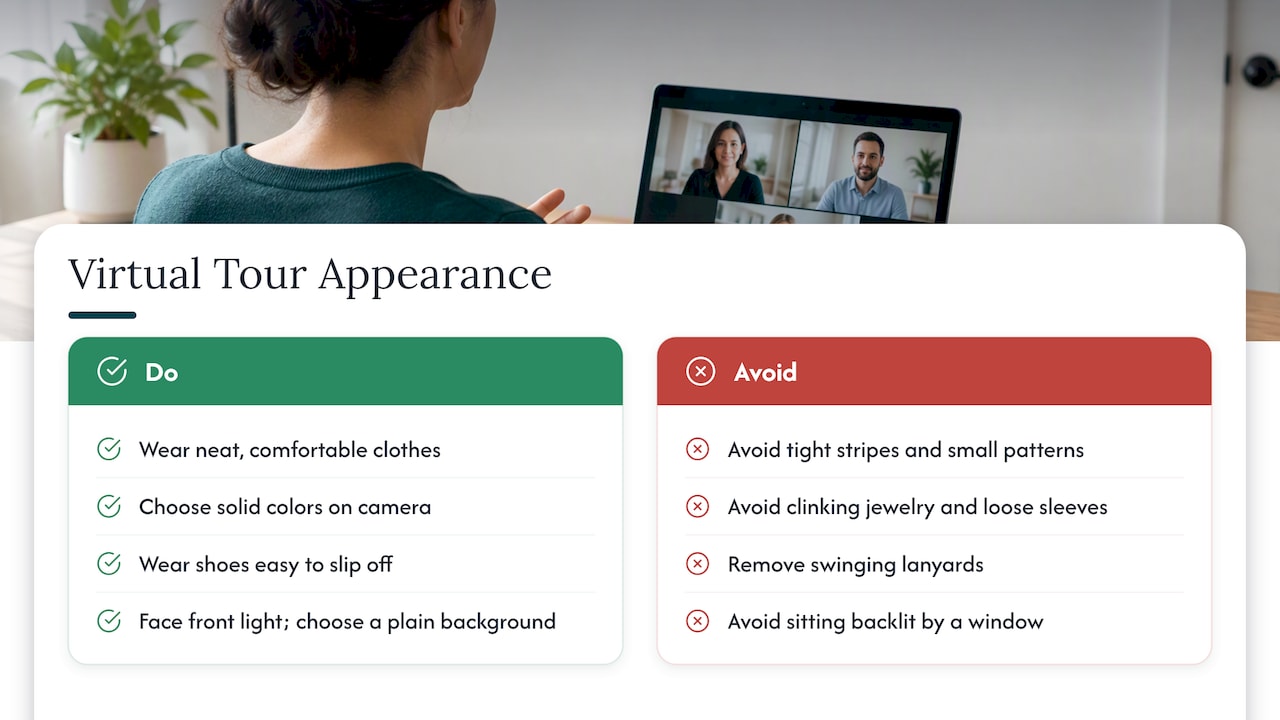
Yes, though the standard is modest. On camera you represent yourself, and what you wear shapes how seriously the other side takes you. Aim for what you would wear to an in-person showing: neat, comfortable, and unremarkable.
Agents should lean toward business casual. Solid colors work well on video, while tight stripes and small patterns can shimmer on camera. If you are the one walking the property, wear shoes that are easy to slip off, since you may be asked to step into spaces that deserve care.
Buyers have more freedom, but a few habits help. Dress well enough that you feel comfortable asking pointed questions on camera. Sit where your face is lit from the front, not backlit by a window, so the agent can read your reactions. A cluttered or distracting background pulls attention from the tour itself, so choose a plain wall or blur your background if the platform allows it.
Appearance also covers the operator’s gear. Keep jewelry from clinking against a phone, avoid loose sleeves that brush the microphone, and remove lanyards that swing into the frame. Small details like these keep the focus on the property.
Finally, if you are the seller and present for any part of the session, remember you are visible too. A quick check of your own reflection in glass or mirrors keeps you from appearing in shots unexpectedly.
How should you handle pets during a virtual tour?
Pets are charming and unpredictable, and a barking dog can derail a live tour in seconds. Zillow’s tour preparation advice includes removing pets and clutter before capture, and that applies to live sessions too.
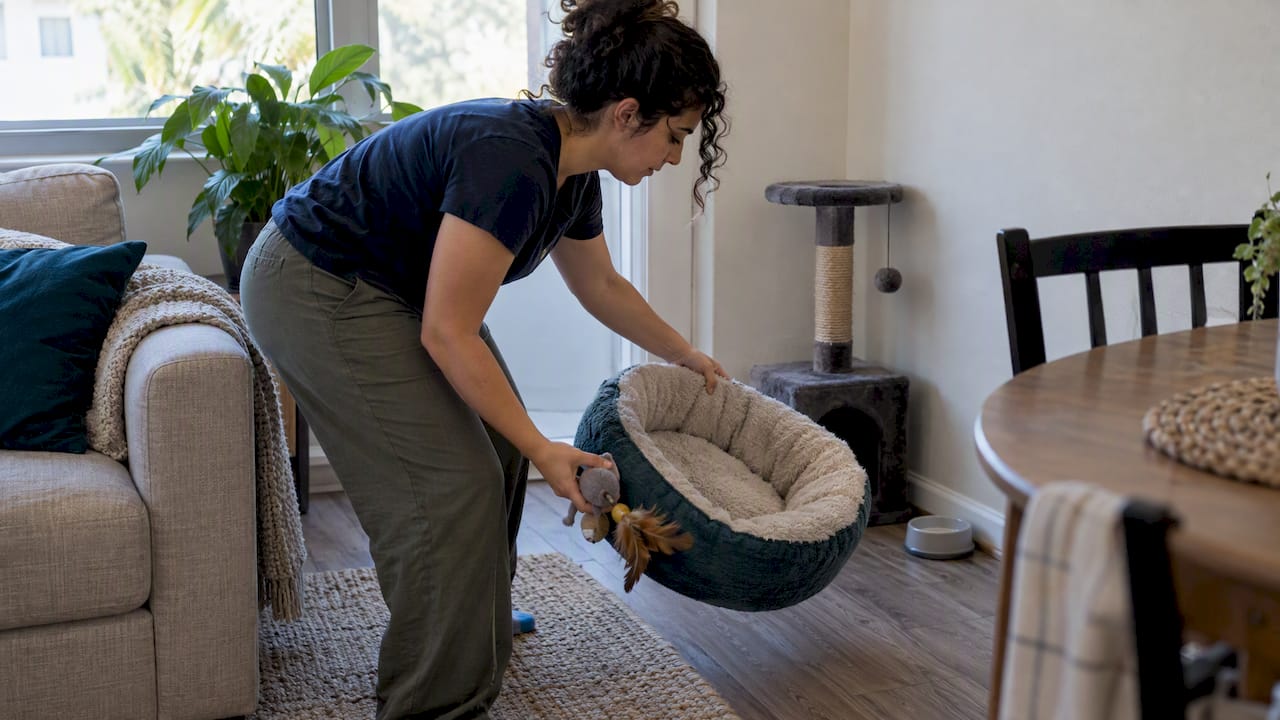
For sellers, the cleanest approach is to take pets out of the home during a scheduled tour. If that is not possible, confine them in a closed room and tell the agent which door to leave shut. Put away bowls, beds, litter boxes, and toys, since they can distract and may leave viewers with the wrong impression of odors and wear. Check floors and furniture for hair before filming.
For buyers and agents joining from home, assume interruptions will happen. Mute your microphone when you are not speaking so a barking dog does not talk over the host. If your pet wanders into frame, a quick apology and a moment to move on is all anyone needs. Hosts should stay patient, because the goal is information, not a perfect broadcast.
Pet policies are a common question on rental tours, so agents should be ready to explain them clearly. In our community, for instance, we charge a one-time, non-refundable pet fee of $300–$500 per cat, as listed on our fees page. Answering such questions on camera keeps prospects from needing a second call.
What do you do when the technology fails mid-tour?
Something will eventually glitch, so plan for it. The best fix is prevention: test your WiFi well before going live, charge every device, and run a rehearsal of the full route.
When trouble hits during a session, work through this order:
- Audio drops: Tell viewers in the chat, then check that the mic is not muted and the headset is connected.
- Video freezes: Stop moving. A frozen frame often recovers if you stay still for a few seconds.
- Connection lags: Switch from WiFi to cellular data, or move closer to the router.
- Platform crashes: Rejoin using the same link, and keep a backup option such as a phone call ready.
Communicate while you troubleshoot. A short note like “We lost video, back in a minute” keeps attendees from leaving. Always keep a second device charged and signed in, so a dead battery does not end the event.
Afterward, offer a recording or a quick follow-up tour. Recordings are usually available after live events anyway, so nobody who hit a technical wall needs to miss out. Treat a failed connection as a scheduling problem, not a verdict on the property.
Buyers can help too. If you are the one with the problem, say so promptly and rejoin rather than silently disappearing. Hosts will appreciate knowing whether the issue is on their end or yours.
How do you schedule and confirm a virtual tour appointment?
Good scheduling prevents most no-shows and mishaps. Start by choosing a time that suits both sides, including time zones if the buyer is out of town. Realtor.com notes that video walkthroughs are standard for relocators and out-of-state buyers, so time zone mix-ups are common.
Put the essentials in writing:
- The date, start time, and expected length.
- The platform, a working link, and any login steps.
- Whether the session is live or recorded.
- Who will be on the call and who operates the camera.
- A phone number to use if the link fails.
Send a confirmation right away, then follow up with reminders before the tour. Ask buyers to send questions in advance so the host can plan the route and note what to show.
Be honest about timing. If you plan to repeat the walkthrough during the hour, say so, so late joiners know what to expect. If the tour needs to be rescheduled, tell people as early as possible and offer alternative times.
For prospective renters, the same logic applies. Our virtual leasing process guide walks through how booking, touring, and applying fit together. Clear logistics set a respectful tone before anyone steps on camera.
Why does etiquette improve outcomes?
In our experience with virtual tours, most problems trace back to unclear expectations, not bad intentions. A buyer who does not know what to ask gets a thin tour. A seller who forgets a privacy sweep creates distrust. Etiquette fixes both by making everyone’s job explicit. Interactive digital assets can make a tour more engaging, so a polite, prepared tour can offer a better experience.
— Ayman
Try a hosted virtual tour at Cynthia Gardens
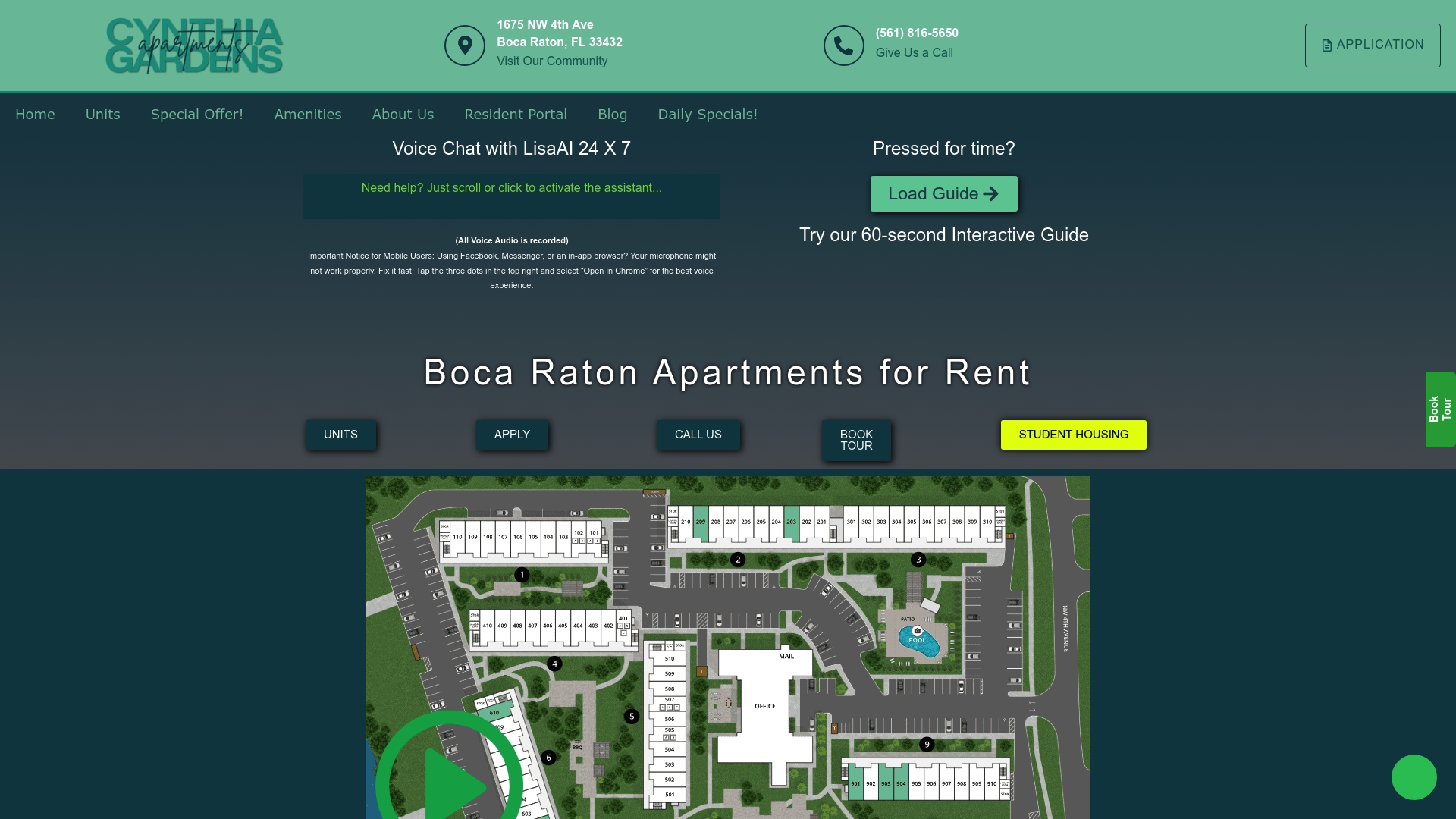
We built our leasing around virtual tools: virtual tours, an interactive property map, and AI chat and voice assistance, with pricing information available to prospective renters. You can see how a well-run virtual viewing feels before you ever visit. One-bedroom apartments are listed at $1,990–$2,220 per month on our units page. Pick a unit, book a virtual viewing, and ask us anything on camera.
FAQ
How do you give a virtual tour?
Prepare the space, test your WiFi, and rehearse the route. Start outside for neighborhood context, narrate key features, and pause for questions. NAR recommends repeating the tour during the scheduled hour for late viewers.
Does Zillow show virtual tours?
Yes. Zillow Interactive Floor Plans and 3D Home Tours are free to create and automatically posted to Zillow, Trulia, and Redfin. Listings using them tend to get more attention than those without.
What is meant by a virtual tour?
A virtual tour is an online walkthrough of a property, delivered live over video, as a prerecorded video, or as an interactive 3D experience. It lets you see layout and condition remotely. It supports, but does not replace, a licensed inspection.
Can you buy a home from a virtual tour alone?
Some buyers do. Realtor.com reports that between 5% and 7% of buyers purchase based solely on a virtual tour. Even then, a licensed home inspection remains important.