
TL;DR:
- Using digital leasing platforms, renters can complete entire rental processes online, reducing paperwork and approval times. AI tools help analyze listings, review leases, and research neighborhoods to support informed decisions. Smart devices that are easily removable allow renters to upgrade their homes without violating lease terms or damaging properties.
Tech-savvy renting tips are digital strategies that use AI tools, virtual tours, and smart home devices to make apartment searching faster and more informed. 84% of renters report that technology has a moderate to major impact on their apartment selection. That number tells you something important: renters who skip digital tools are competing at a serious disadvantage. The industry term for this approach is digital leasing, and it covers everything from online applications to AI-assisted lease review. Whether you are a young professional in Boca Raton or a student hunting for your first place, these strategies cut wasted time and reduce costly mistakes.
1. Tech-savvy renting tips start with digital leasing platforms
Digital leasing platforms compress the entire rental process into one online workflow. Instead of printing forms, mailing checks, and scheduling in-person signings, you complete everything through a single portal.
The core features of a full digital leasing platform include:
- Online listings with real-time availability so you never chase a unit that is already gone
- Virtual home tours that let you walk through a floor plan from your phone before committing to a visit
- Digital applications with document uploads for pay stubs, IDs, and references
- E-signatures that replace wet ink and overnight mail entirely
End-to-end digital workflows reduce paperwork and compress leasing time for both renters and property managers. Faster approvals mean you can secure a unit before another applicant does.
Pro Tip: Before you apply, confirm the platform uses e-signatures through a recognized service like DocuSign or Adobe Acrobat Sign. Platforms that still email PDFs for printing are not truly digital and will slow you down.
2. Use AI tools to analyze listings and review leases
AI assistants are the most underused tool in a renter’s kit. Google Gemini can summarize lengthy lease agreements and flag restrictive clauses buried in fine print. That means you can paste a 30-page lease and get a plain-English summary in under a minute.
Practical ways to use AI during your apartment search:
- Decode listing buzzwords. Phrases like “cozy” or “charming” often signal small square footage. Ask an AI to translate the listing language into honest descriptions.
- Research neighborhoods. AI tools pull together walkability scores, transit data, and local amenity information faster than manual searching.
- Model your budget. Input your income, target rent, and utility estimates to get a realistic monthly cost breakdown.
- Draft correspondence. Use AI to write professional inquiry messages that get faster responses from landlords.
AI-driven tools assist renters by stress-testing leases and decoding neighborhood data, which changes how renters make decisions. This is not about replacing your judgment. It is about giving you better information before you sign.
Pro Tip: Copy the lease’s most confusing section into Google Gemini and ask it to list every clause that limits your rights as a tenant. You will often find automatic renewal terms or early termination fees you would have missed.
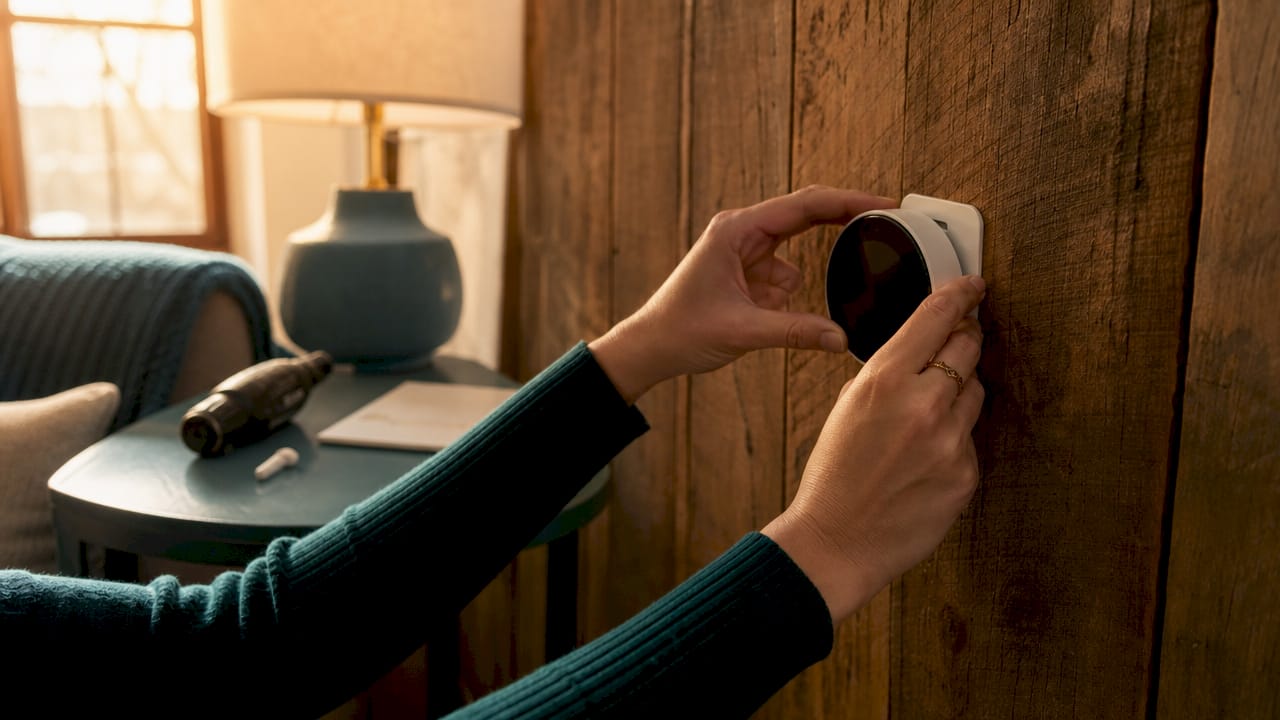
3. Install renter-friendly smart home devices without violating your lease
Smart home upgrades do not require drilling or permanent installation. The key is choosing devices built for renters: removable, wireless, and interoperable.
Matter 1.5 certified devices ensure easy integration across different platforms and simple transfer when you move. That certification is your guarantee that a device works with Apple Home, Google Home, and Amazon Alexa without locking you into one ecosystem.
Renter-friendly smart devices worth considering:
- Peel-and-stick cameras and video doorbells that mount with adhesive and leave no marks
- Smart plugs that turn any lamp or appliance into a connected device without touching wiring
- Portable smart lighting strips that attach with removable tape and set scenes through an app
- Smart AC controllers that clip onto existing window units and add scheduling and remote control
- Desktop plant grow lights with built-in timers for renters who want a small indoor garden without permanent fixtures
Smart thermostats connected to building programs improve comfort and can reduce utility bills when tenants negotiate access. If your unit has a landlord-controlled thermostat, that negotiation is worth having before you sign.
4. Stay organized with the right tracking tools
A disorganized apartment search costs you time and good units. A dedicated spreadsheet or project management tool prevents you from re-reading the same listings or re-contacting landlords you already spoke with. That wasted effort adds up fast in a competitive market.
Build your tracking system around these columns: property address, monthly rent, available date, contact name, application status, and notes from your virtual tour. Tools like Google Sheets, Notion, or Airtable all work well for this. The format matters less than the consistency of updating it after every interaction.
App notifications and personalized messages improve response rates and speed in competitive rental markets. Turn on alerts for your saved searches so you see new listings within minutes of posting. A unit that sits for 48 hours in a hot market is rare.
Pro Tip: When messaging a landlord for the first time, mention one specific detail from the listing, such as the natural light in the photos or the proximity to a specific transit stop. Generic messages get ignored. Specific ones get replies.
Safety matters too. Before touring any listing you found through a third-party platform, verify the landlord’s identity through a quick Google search of the address and their name. Rental scams often use real photos of real properties with fake contact information.
5. Evaluate and negotiate tech features before signing
Most renters accept whatever tech is installed in a unit without asking questions. That is a mistake. Testing Wi-Fi coverage and requesting written data policies for installed building smart devices protects your privacy and your daily routine.
Before you sign, work through this checklist:
- Walk every room with your phone and check signal strength. Dead zones in a bedroom or home office are deal-breakers for remote workers.
- Ask the property manager for a list of all installed smart devices and who controls them.
- Request the data policy for any building-wide system, such as smart locks or package lockers, that collects usage data.
- Negotiate thermostat access if the building controls temperature centrally. Ask for a written addendum granting you control during specific hours.
- Confirm in writing that any smart device you install yourself can be removed without penalty at move-out.
Written documentation protects you. A verbal agreement about a smart lock or a thermostat setting means nothing when you are disputing a security deposit. Get every tech-related agreement added to your lease or signed as a separate addendum.
6. Use virtual tours strategically, not just for convenience
Virtual tours are not just a time-saving shortcut. Used correctly, they are a research tool that reveals details you miss in photos. A 360-degree walkthrough shows you ceiling height, natural light direction, closet depth, and how rooms connect to each other.
Watch for these specifics during a virtual tour:
- Window placement. North-facing windows get less direct sun. South-facing rooms stay brighter through winter.
- Outlet locations. Count visible outlets in the bedroom and living area. Older buildings often have fewer than modern renters need.
- Floor transitions. Abrupt changes between flooring types sometimes signal water damage repairs or uneven subfloors.
- Kitchen counter space. Photos are often taken with a wide-angle lens that makes counters look larger than they are.
A virtual tour in real estate gives buyers and renters a detailed spatial understanding of a property before any in-person visit. Use it to narrow your list to two or three serious contenders before scheduling physical tours. That discipline alone saves hours.
7. Protect yourself with digital documentation habits
Document everything digitally from day one. Before you move in, photograph every wall, floor, appliance, and fixture with timestamps enabled on your phone. Upload those photos to Google Drive or iCloud immediately so they are date-stamped and stored off-device.
Create a dedicated email folder for every piece of landlord communication. Courts and arbitration panels treat email threads as legal records. A text message conversation is harder to present as evidence than a clear email chain with dates and subject lines.
For rent payments, use a platform that generates a receipt automatically, such as a bank transfer with a memo line or a property management portal. Cash payments without receipts are the single most common source of move-out deposit disputes. Digital payment records eliminate that argument entirely.
Key takeaways
The most effective digital renting strategy combines end-to-end leasing platforms, AI-assisted lease review, and renter-friendly smart devices to cut search time and reduce costly mistakes.
| Point | Details |
|---|---|
| Digital leasing saves time | End-to-end platforms with e-signatures compress approvals and cut paperwork significantly. |
| AI reviews leases faster than you do | Tools like Google Gemini flag restrictive clauses and summarize complex lease language in minutes. |
| Matter 1.5 devices protect renters | Certified smart devices transfer between homes easily and avoid lease violations. |
| Organization prevents lost opportunities | A tracking spreadsheet stops you from re-contacting landlords and missing fast-moving listings. |
| Written tech agreements matter | Document every smart device negotiation in writing to protect your security deposit at move-out. |
Why I think most renters underestimate the lease review step
Renters spend hours comparing photos and square footage, then spend about 10 minutes reading a lease. That imbalance is where most renting problems start. I have seen renters locked into automatic 60-day renewal clauses they never noticed, or charged for removing a smart lock they installed with verbal permission.
The AI lease review step is the one that changes outcomes most. It takes less time than a coffee break and surfaces clauses that a distracted first-time renter will miss every single time. The tech-forward apartment conversation has shifted from “does it have fast Wi-Fi” to “who controls the devices and what data do they collect.” That is a more sophisticated question, and renters who ask it get better deals.
Smart home tech is also moving faster than most lease templates. A lease written two years ago probably says nothing about smart locks, AI intercoms, or package locker data. That gap is your negotiating room. Use it.
— Ayman
Cynthiagardens brings tech-forward leasing to Boca Raton
Cynthiagardens is a modern apartment community in Boca Raton built around the kind of digital leasing experience this article describes. The community offers AI chat support, voice assistance, virtual apartment tours, and an interactive property map so you can evaluate units and ask questions without waiting for a callback.
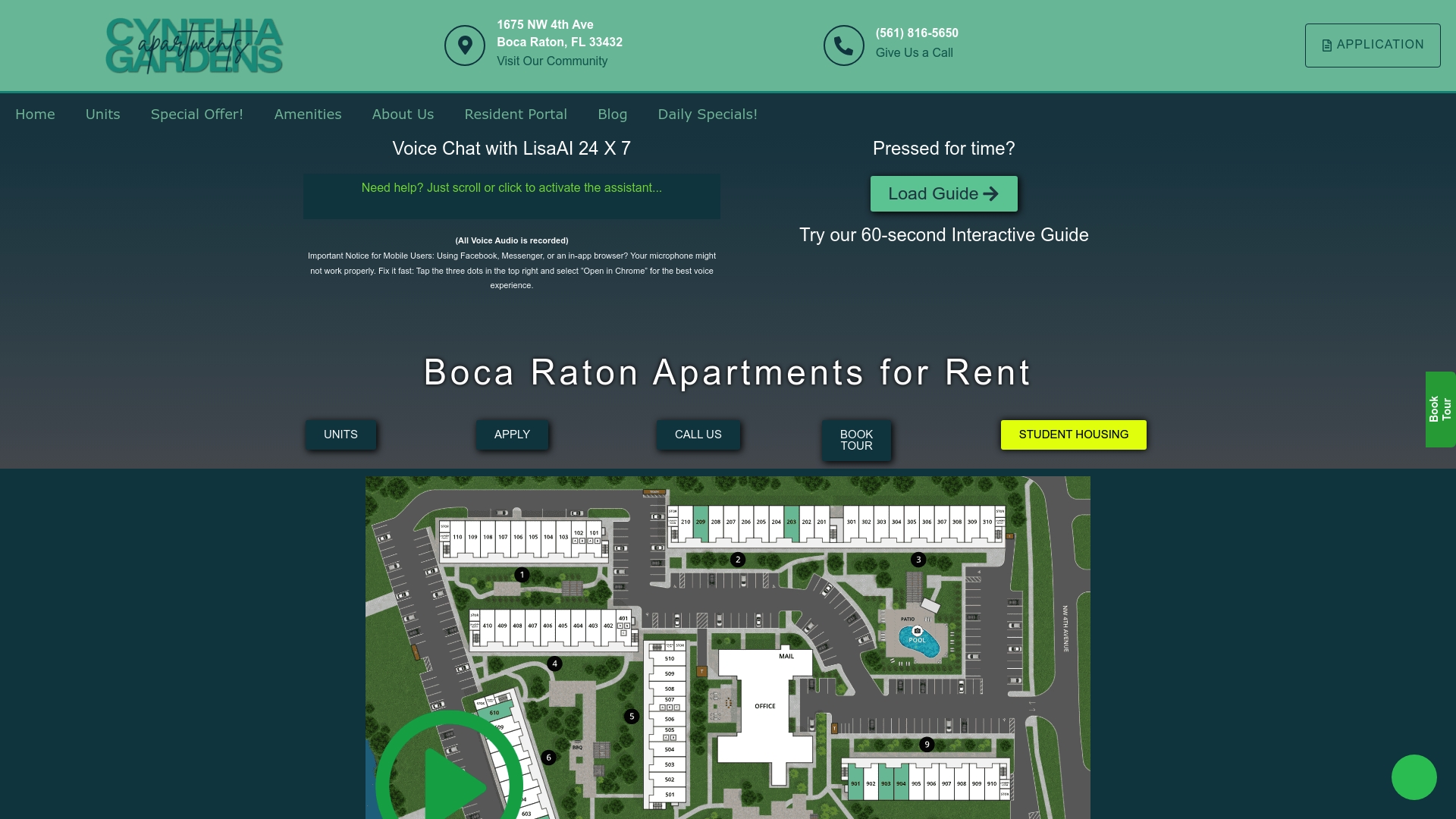
Applications run through a fully digital workflow with transparent pricing and no hidden fees. If you are a young professional, student, or pet owner looking for a one-bedroom apartment in Boca Raton, you can view apartment styles and features and start your application entirely online. Cynthiagardens is designed for renters who expect the process to be as efficient as the rest of their digital lives.
FAQ
What are tech-savvy renting tips?
Tech-savvy renting tips are digital strategies that use AI tools, virtual tours, rental management software, and smart home devices to speed up apartment searching and improve leasing decisions. They reduce paperwork, flag lease risks, and help renters move faster in competitive markets.
How does AI help renters review a lease?
AI assistants like Google Gemini summarize lengthy lease agreements and flag restrictive clauses hidden in fine print, giving renters a plain-English breakdown in minutes. This is especially useful for spotting automatic renewal terms and early termination fees.
What smart home devices can renters install without violating their lease?
Renters can safely install Matter 1.5 certified devices, peel-and-stick cameras, smart plugs, portable lighting strips, and smart AC controllers because these products require no drilling and are fully removable. Always confirm removal terms in writing before installation.
Why should renters test Wi-Fi before signing a lease?
Wi-Fi dead zones in a bedroom or home office directly affect remote work and daily life, and landlords are rarely obligated to fix coverage issues after you sign. Testing signal strength in every room during your tour takes two minutes and prevents a year of frustration.
What is the best way to organize an apartment search?
A dedicated spreadsheet or project management tool with columns for address, rent, availability, contact status, and tour notes prevents duplicate outreach and keeps fast-moving listings visible. Tools like Google Sheets, Notion, or Airtable all work well for this purpose.
Recommended
- Modern Apartment Living: Why It Matters in 2026
- Apartment Finding Sites The Ultimate Renter’s Guide – Luxury Apartments for Rent in Boca Raton | Premium Boca Raton Apartments | Aapartments Boca Raton
- 7 Types of Apartment Amenities for Modern Renters
- Tech in Apartments: 40% More Appeal for Boca Renters