
Electronic lease signatures hold up in court and satisfy federal law when the signing process captures three things: real consent to sign electronically, verified identity tied to the signer, and a durable audit trail. Miss any one of those, and even a perfectly worded lease can become hard to enforce. The good news is that checking for all three takes about five minutes once you know what to look for, which is exactly what the rest of this guide walks through.
TL;DR:
- Verifying all four enforceability elements, including intent, consent, attribution, and retention, takes only about five minutes and is crucial for legal leasing.
- A secure lease signing platform must use encryption, detailed audit trails, scaled authentication, and tamper-evident measures to ensure the document’s integrity and defendability.
- Following a step-by-step process—assembling a complete package, obtaining explicit consent, matching authentication to risk levels, routing sequential signatures, and delivering all recordings—ensures safety and compliance.
- Warning signs like missing consent language, absence of an audit trail, unusual payment methods, suspicious sender details, and inability to export records indicate unsafe or fraudulent lease processes.
- After signing, saving the final PDF and audit trail securely, with backups and proper storage, preserves evidence and supports dispute resolution years later.
Table of Contents
- Online Lease Signing Security Starts With the Law, Not the Software
- What Security Controls Should a Lease Signing Platform Have?
- How Do You Sign a Lease Online Safely, Step by Step?
- What Red Flags Signal an Unsafe Lease Signing Process?
- How Do You Keep a Signed Lease Safe After Signing?
- Cynthia Gardens’ Approach to Secure Online Leasing
- When a Checklist Isn’t Enough
- Ready to Lease Online With Confidence?
- Where to Verify the Legal Details Yourself
- Sources
- FAQ
Online Lease Signing Security Starts With the Law, Not the Software
The legal groundwork for signing a lease online was settled decades before most e-signature platforms existed. Congress passed the Electronic Signatures in Global and National Commerce Act in 2000, and its core rule now lives in 15 U.S.C. §7001. That statute says a signature, contract, or record cannot be denied legal effect just because it exists in electronic form.
The Uniform Electronic Transactions Act, adopted in some version by nearly every state, works alongside the federal ESIGN Act to fill in procedural details. State adoption isn’t identical everywhere. Cornell’s Legal Information Institute notes that certain states layer on their own formalities for specific document types, so a lease that’s airtight in one jurisdiction might need an extra step in another.
Four elements generally have to line up for an electronic lease to be enforceable:
- Intent to sign — the signer took a deliberate action (typing a name, drawing a signature, clicking “I agree”) rather than having a signature auto-applied.
- Consent to do business electronically — both parties agreed, usually through a clear disclosure screen, to transact in electronic form instead of paper.
- Attribution — the record ties that specific signature to that specific person, usually through login credentials, email verification, or stronger ID checks.
- Retention and reproducibility — the signed document can be saved, retrieved, and reproduced accurately later, which National Archives guidance treats as a condition of validity, not an afterthought.
There are narrow exceptions worth knowing. Documents that require notarization, certain court filings, and a handful of state-specific instruments (some power-of-attorney forms, for instance) may need extra formalities beyond a standard e-signature. A residential lease almost never falls into that category, but if your lease includes an unusual addendum, it’s worth a quick check against your state’s UETA statute before you sign.
What Security Controls Should a Lease Signing Platform Have?
A legally valid signature and a secure one aren’t automatically the same thing. The law asks whether the four pillars above were met. Security asks whether the platform actually protected the data and produced evidence strong enough to survive a dispute. Reputable e-signature platforms build around a handful of specific controls.
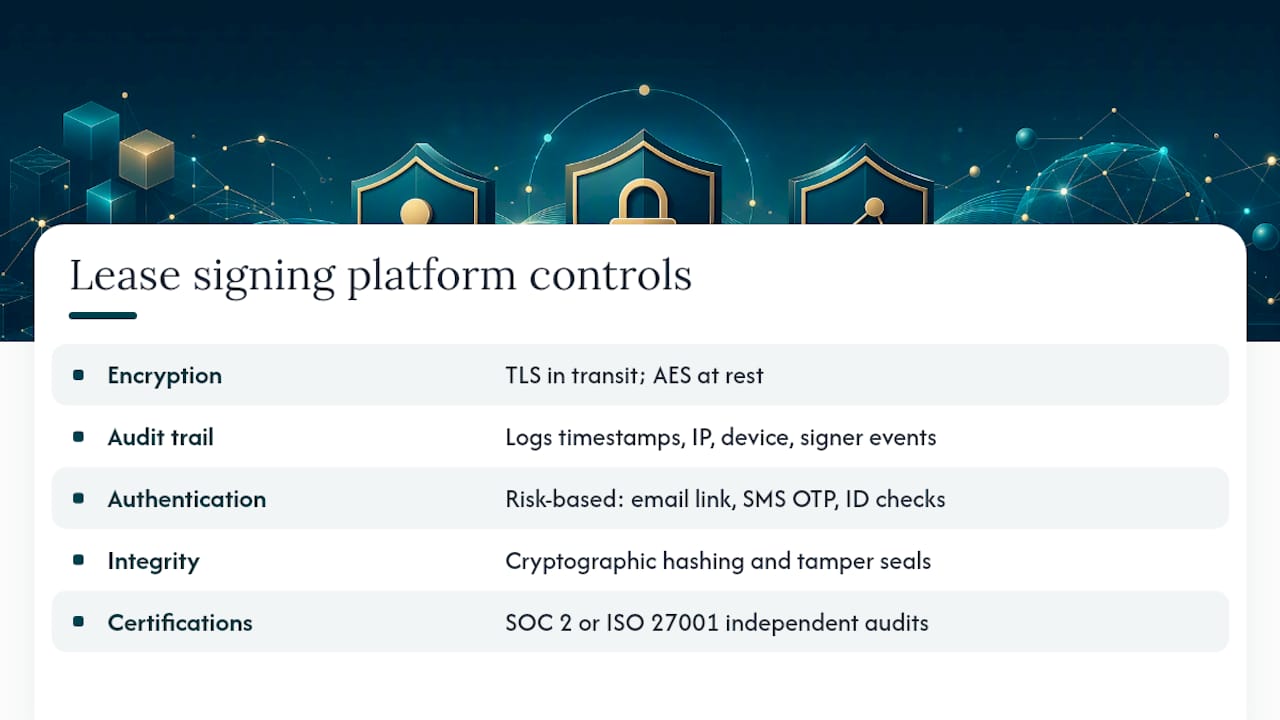
Encryption protects the lease itself. Data should be encrypted with TLS while it travels between your browser and the platform’s servers, and encrypted again with AES while it sits in storage. Without both layers, a lease sitting on a server or crossing an unsecured Wi-Fi connection is exposed the same way an unlocked filing cabinet would be.
Audit trails are the backbone of enforceability. A solid audit trail logs the timestamp of every action, the IP address and device used, and each individual signer event, from opening the document to typing initials on page four. SignNow’s guidance on electronic lease signing points out that this kind of event log carries far more weight in a dispute than a bare scanned signature image, because it reconstructs exactly who did what and when.
Authentication should scale with risk. A basic email link works fine for a lease renewal with a tenant you’ve rented to for three years. A first-time tenant, a guarantor, or a high-value lease deserves more: SMS one-time passcodes, knowledge-based verification questions, or government ID checks with a selfie match. Rentlane’s overview of electronic lease requirements makes the point directly: not every signer needs the same verification depth, but every signer needs some.
Document integrity controls, like cryptographic hashing and tamper-evident seals, let you prove after the fact that nobody altered a single word after signing. Combined with NIST’s guidance on preserving record integrity, this is what turns a PDF into evidence rather than just a file.
Pro Tip: Ask any platform whether it carries SOC 2 or ISO 27001 certification. Neither guarantees a flawless product, but both mean an independent auditor has actually reviewed the company’s security practices, not just taken its word for them.
Audit trail and consent records are widely recognized as crucial evidence when a signed lease is later disputed. If a platform can’t produce one, treat that as a disqualifying flaw, not a minor gap.
How Do You Sign a Lease Online Safely, Step by Step?
Following a set order protects both sides and creates the paper trail (electronic, but still a trail) that matters if anything goes sideways later.
- Assemble one complete lease package. Every disclosure, addendum, and pet policy should be bundled into a single document set before anyone signs, and that version should be frozen. Signing a lease that’s still being edited elsewhere defeats the purpose of a locked, dated record.
- Get explicit electronic consent first. Before anyone signs anything, the platform should present a clear disclosure that the transaction will happen electronically and specify any hardware or software needed to view and retain the document, a requirement baked directly into federal disclosure rules.
- Match authentication to the signer’s risk level. A returning tenant might only need email verification. A new tenant or a guarantor should go through stronger checks, and whichever method you use should get logged as part of the record.
- Route signatures in sequence when it makes sense. Tenant signs first, then guarantor if there is one, then the landlord signs last and locks the file. Sequential routing prevents a half-signed lease from circulating and gives the landlord a final review checkpoint before commitment.
- Deliver the finished package to everyone, not just the tenant. The completed PDF and its full audit trail should go to every signer, and each person should download and store a local copy rather than relying on the platform to keep it accessible indefinitely.
Landlords managing multiple units often build this sequence into their digital leasing workflow so nothing gets skipped when things get busy during peak leasing season.
What Red Flags Signal an Unsafe Lease Signing Process?
Most fraudulent or careless lease signing setups share the same handful of warning signs. Catching one early can save you from a lease that’s difficult to enforce or, worse, a scam.
- Vague or missing consent language. If nothing on screen clearly states you’re agreeing to sign electronically and mentions how records will be retained, that’s a gap, not a formality.
- No audit trail at all. A signed file that’s just a flat image with no metadata attached leaves you with almost nothing to point to if the other party later disputes the signature.
- Payment requests through unusual channels before the lease is finalized. Wire transfers to personal accounts, gift cards, or payment apps requested before you’ve received a complete, signed lease are a classic scam pattern, sometimes called a “ghost lease,” where a fraudster lists a property they don’t control.
- Suspicious sender details. Watch for email addresses that don’t match the property manager’s actual domain, shortened links that hide the real destination, or a landlord who refuses a video call or in-person verification.
- No way to export a durable copy. If the platform doesn’t let you download the finished PDF and its audit trail, walk away. A lease you can’t retrieve independently isn’t one you can defend later.
How Do You Keep a Signed Lease Safe After Signing?
Signing securely is only half the job. Keeping that record accessible and provable matters just as much, especially if a dispute surfaces a year or two down the road.
Save both pieces of evidence: the final signed PDF and the platform’s certificate of completion or audit trail. The PDF alone tells you what was agreed to; the audit trail tells you how it was signed and by whom. Store both in a format that will still open years from now, and keep a backup outside the platform itself, since companies get acquired, shut down, or change their retention policies.
- Download your copy immediately after signing rather than waiting until move-in day.
- Store it in encrypted cloud storage or a dedicated folder you control, not just an email inbox that could get purged.
- Note any hardware or software used to view the document originally, in case you ever need to reproduce it exactly.
- If a notary was involved, keep that e-notary certificate paired with the lease record, since notarized documents often carry extra evidentiary weight in a dispute.
Cynthia Gardens’ Approach to Secure Online Leasing
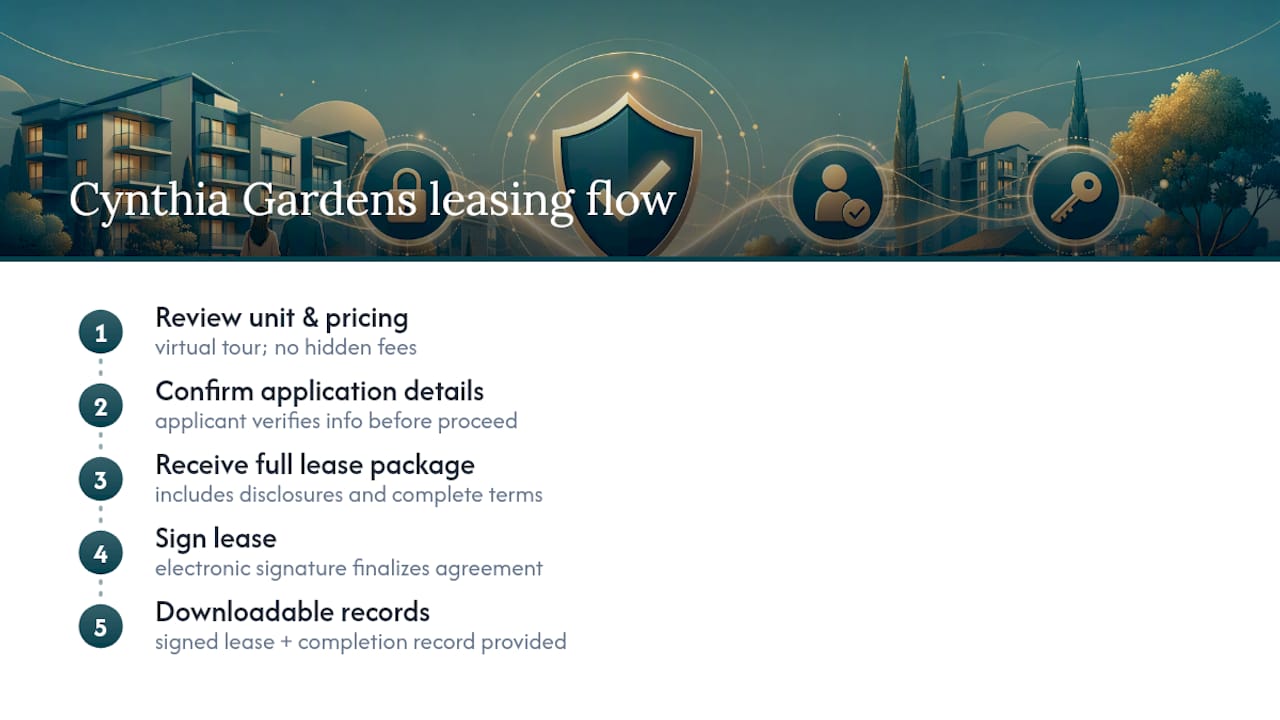
Cynthiagardens built its leasing process around the same principles this guide covers, because a lease that’s easy to dispute helps nobody. Prospective tenants can complete a virtual tour of a one-bedroom unit, ask questions about lease terms through AI chat support, and review pricing with no hidden fees before ever opening a lease document.
The leasing steps stay in a fixed order: review the unit and pricing, confirm application details, receive the complete lease package with disclosures included, then sign. Every applicant gets a downloadable copy of the signed lease alongside its record of completion, so there’s no ambiguity later about what was agreed to or when.
If you’re evaluating any property this way, ask directly for two things before you commit: evidence of the signature and a downloadable copy of the finished lease. A landlord confident in their process will hand both over without hesitation.
When a Checklist Isn’t Enough
Follow the checklist, insist on seeing the audit trail, and keep your own copy of everything. That covers the overwhelming majority of residential leases signed online today, and it’s genuinely enough protection for most tenants and landlords.
Where it isn’t enough: a signature gets disputed after the fact, a jurisdiction requires notarization you didn’t anticipate, or a lease addendum involves something unusual like a co-signed commercial clause bundled into a residential agreement. In those situations, a few hundred dollars for an hour with a real estate attorney beats guessing. The controls in this article reduce risk substantially. They don’t replace legal advice when a lease turns into a genuine dispute.
— Ayman
Ready to Lease Online With Confidence?
This community offers an alternative to a slow, paper-heavy leasing process for renters in Boca Raton: transparent pricing, a fully digital tour, and a signed lease you can download the moment you finish signing.
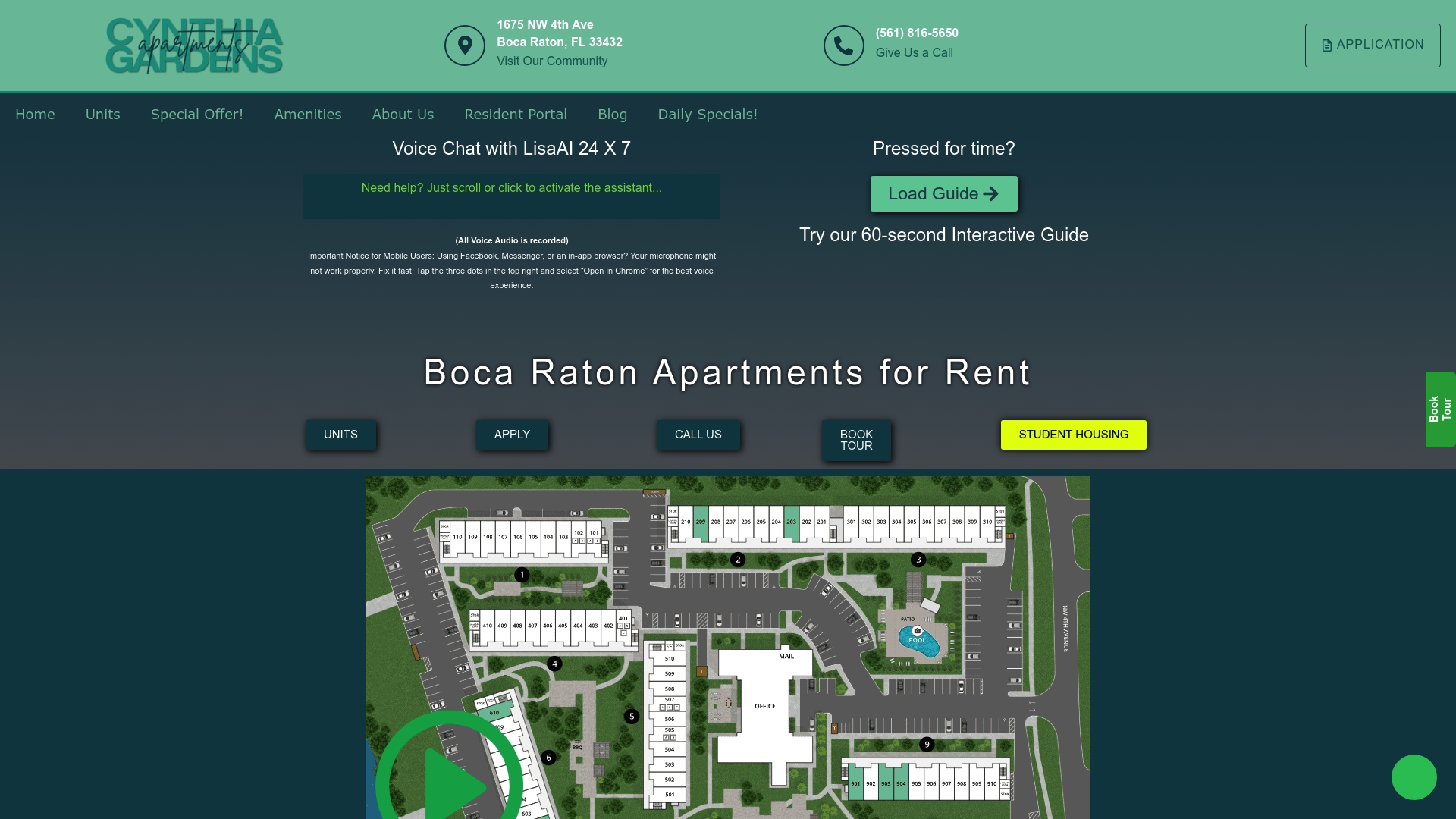
Every one-bedroom apartment on the units page comes with the same leasing workflow described above: consent disclosures up front, identity verification matched to your situation, and evidence of signing delivered alongside your lease so you’re never left wondering what you agreed to. Application fees, administration costs, and any pet fees are described on the pricing and fees page before you sign anything. If you’d rather see the fine print in person, request a paper copy alongside your digital one, no extra step required. Browse available one-bedroom units and start a virtual tour today.
Where to Verify the Legal Details Yourself
Nothing in this guide replaces reading the actual statutes. These are the primary sources worth bookmarking:
- 15 U.S.C. §7001 official text via the U.S. Government Publishing Office
- ESIGN Act public law text via Congress.gov
- NIST cybersecurity and record integrity resources
- Cornell Legal Information Institute’s readable version of Chapter 96
This article is general information, not a substitute for advice from a qualified lawyer. Consult a qualified legal professional about your own circumstances before acting on anything here.
Sources
- U.S. Government Publishing Office: 15 U.S.C. §7001
- Legal Information Institute (Cornell) — 15 U.S.C. Chapter 96
- NIST — Cybersecurity and digital record integrity guidance
FAQ
Can a Lease Be Signed Electronically?
Yes. Under the ESIGN Act, codified at 15 U.S.C. §7001, an electronic signature on a lease carries the same legal weight as a wet-ink signature when both parties consented to sign electronically and the record can be retained and reproduced. State UETA rules apply alongside the federal law and rarely change this outcome for a standard residential lease.
Do You Pay a Security Deposit Before Signing a Lease in Florida?
Florida law doesn’t require the deposit before signing, but most landlords collect it alongside the signed lease or shortly after, as part of finalizing the move-in. Reputable platforms present the deposit amount and any related fees clearly in the lease package itself, so you see the full cost before you commit to anything.
What Is a Ghost Lease?
A ghost lease is a fraudulent lease for a property the “landlord” doesn’t actually own or control, often pushed through urgent payment requests before you’ve ever seen a verified, signed document. The clearest defense is refusing to send money until you’ve received a complete lease with a real audit trail and have confirmed the listing independently.
What Are Some Red Flags to Watch for When Signing a Lease?
Missing consent language about electronic signing, a signed file with no audit trail or metadata, and payment requests through unusual channels before you’ve received the finished lease are the three biggest warning signs. Mismatched sender email domains and a landlord unwilling to verify their identity on a call round out the list, and any one of these is reason enough to pause and verify further.